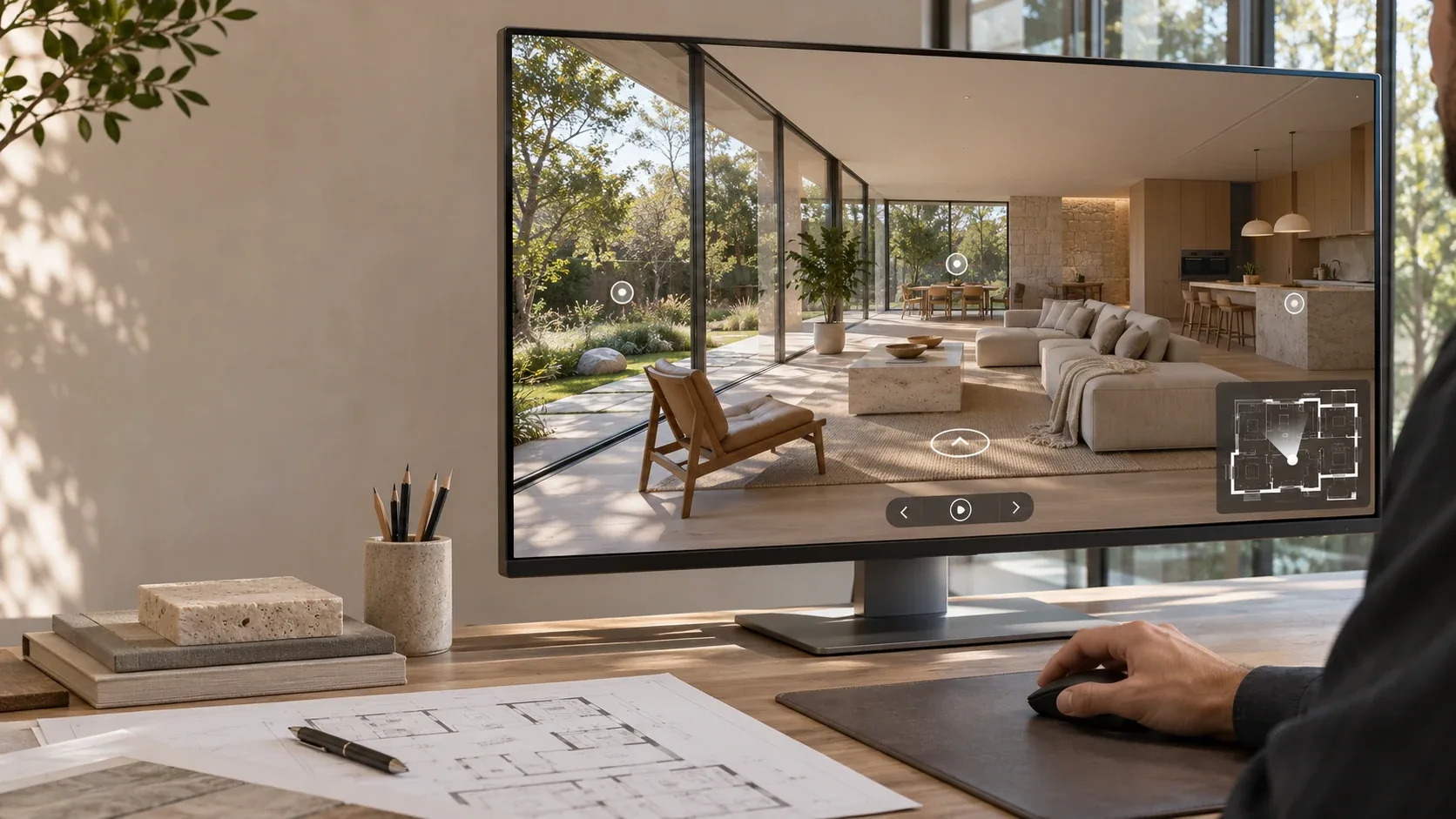
Clients have always had to imagine an unbuilt building from drawings and a handful of renders. Most of them find that hard. A virtual tour lets them stand inside the project instead: look around the living room, walk out onto the terrace, check the view from the bedroom.
A virtual tour of an unbuilt project is a set of 360° panoramas rendered from the design model and linked together, so people can move through the building before construction starts. Unlike a scanned tour, it doesn't need a finished space, and it can show material options. It's most useful wherever people can't visit in person: client presentations, pre-sales, competitions, planning consultations and your own website. Below, we cover how it differs from scanned tours, where it helps, and what it takes to make one.
What is a virtual tour for an unbuilt project?
A virtual tour for an unbuilt project is an interactive set of 360° panoramic renders, created from the design model and linked together so viewers can look around each space and move between them. It shows the building as designed, before construction, on a laptop, phone or VR headset.
Each panorama is a full spherical image rendered from one position, usually at eye height. If you're new to the format, our guide to 360-degree architectural rendering explains how the panoramas themselves are made. The tour adds navigation, a floor-plan map and information points on top.
How is it different from a scanned tour like Matterport?
A scanned tour records a space that already exists, using a camera on site. A model-based tour is rendered from design files, so it can exist before the building does. As one tour provider puts it, a scan needs a physical space to capture.
| Model-based tour (rendered) | Scanned tour (e.g. Matterport) |
|---|
Source | 3D design model | On-site camera scan |
Available | From design stage | Only once the space is built |
Shows | The design as intended, including options | The space as it currently is |
Material or furniture options | Yes, by rendering alternative versions | No, only what is physically there |
Lighting | Any time of day or season | Conditions on the day of the scan |
Typical use | Design approval, pre-sales, competitions | Listing finished properties |
The two aren't competitors. A developer might use a model-based tour to sell homes off-plan, then a scan once the show home is finished.
Why do tours matter more for unbuilt projects?
Tours are most valuable when viewers can't visit the real space, and an unbuilt project can't be visited at all. For finished homes the evidence is mixed. For buildings that don't exist yet, a tour is often the closest a client or buyer can get to standing inside.
A Harvard Business School study of 75,178 Los Angeles home sales found that tours shortened time on market during COVID-19 restrictions, but made little difference once in-person viewings resumed. The study also found that tours still help buyers screen out homes that aren't right for them.
Buyers also expect tours. National Association of Realtors research found that 58% of buyers want to see a virtual tour of a listing. For an unbuilt project, where a visit isn't an option, that expectation is even harder to meet without one.
Where do virtual tours help architecture studios most?
Virtual tours help most wherever someone has to understand or approve a space they can't visit. For architecture studios, that usually means five situations.
Client presentations and design sign-off
A tour helps clients understand proportions, views and how rooms connect far better than plans can. Decisions get made earlier and with more confidence. That reduces the risk of late changes once construction drawings are under way.
Pre-sales for developers
Developers selling homes before completion need buyers to commit to something they can't see. A tour on the sales website or in the sales suite lets buyers explore at their own pace and share it with family who can't attend.
Competitions and pitches
A tour linked from a competition entry or pitch document lets the jury or client explore the scheme after the presentation. It can set a proposal apart, provided the brief allows extra material.
Planning and community consultation
A tour can make a scheme easier to understand for non-specialists at public consultations. Any image used for planning must accurately reflect the design, so tours for this purpose should come straight from the model, with no artistic alterations.
Your portfolio website
A tour gives visitors a reason to stay on your project pages and explore your work in depth. Our guide to portfolio websites for architecture studios covers how project pages win commissions.
What can viewers do inside a virtual tour?
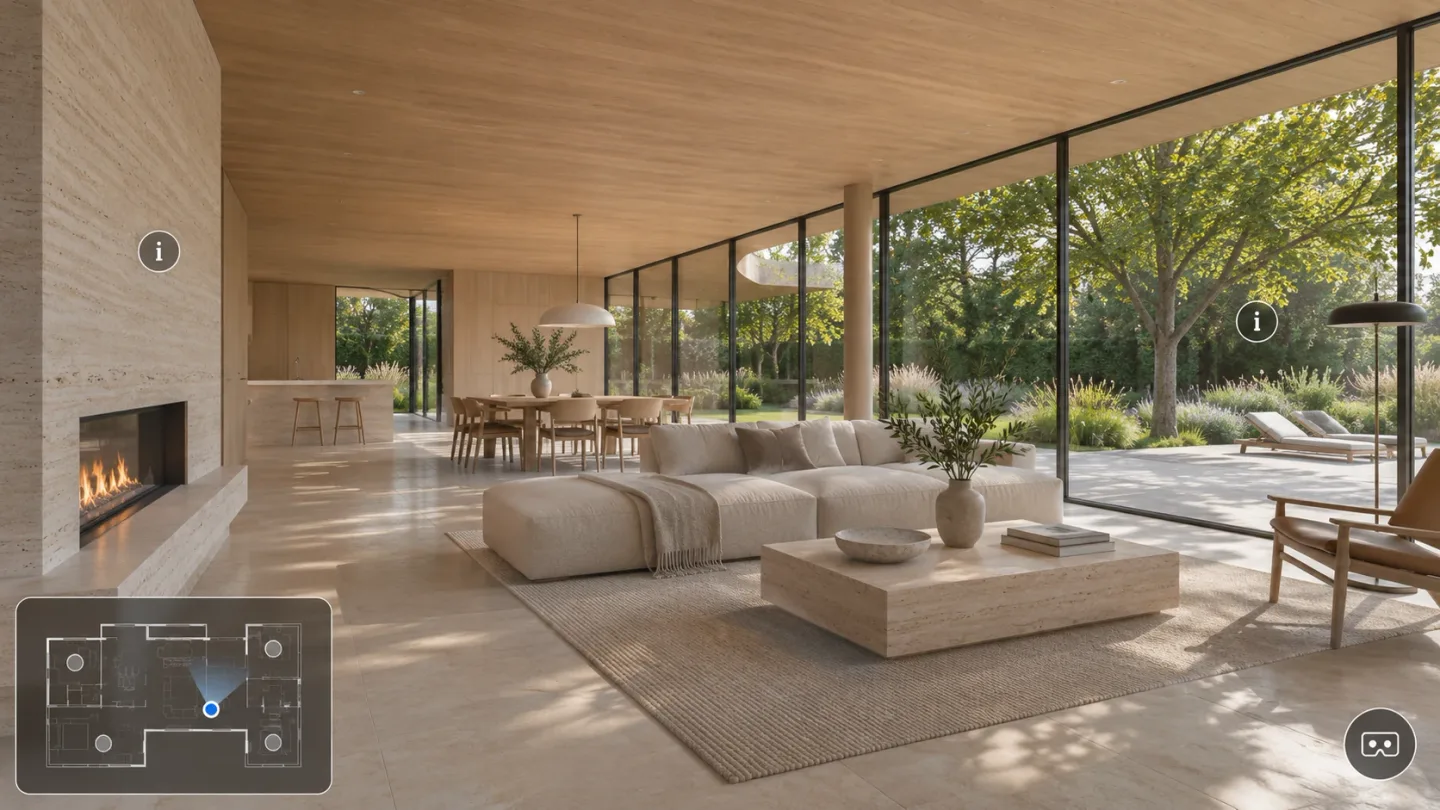
In a well-built tour, viewers look around each space in 360°, jump between rooms using a floor-plan map, and open hotspots that explain materials or features. Depending on the build, they can also switch between design options, change the time of day or view the tour in a VR headset.
The most useful features for architecture projects are:
Floor-plan navigation: a small map shows where the viewer is standing and which way they're facing. Clicking a point on it jumps to that room.
Information hotspots: clickable points that show a material, a product, a dimension or a short note from the architect.
Option switching: a toggle between alternative finishes or layouts, each rendered as its own set of panoramas.
Day and night views: the same space rendered in different light.
VR headset mode: for meetings or sales suites, where standing inside the space at true scale makes the strongest impression.
What does it take to make a virtual tour?
Making a model-based tour takes six steps: define the purpose, choose panorama positions, prepare the model and materials, render the panoramas, build the tour, then host and share it. The design decisions matter more than the software. Most delays come from materials or spaces that haven't been decided yet.
Define the purpose and audience. A tour for design sign-off can be simpler than one for selling homes, which needs polish and branding.
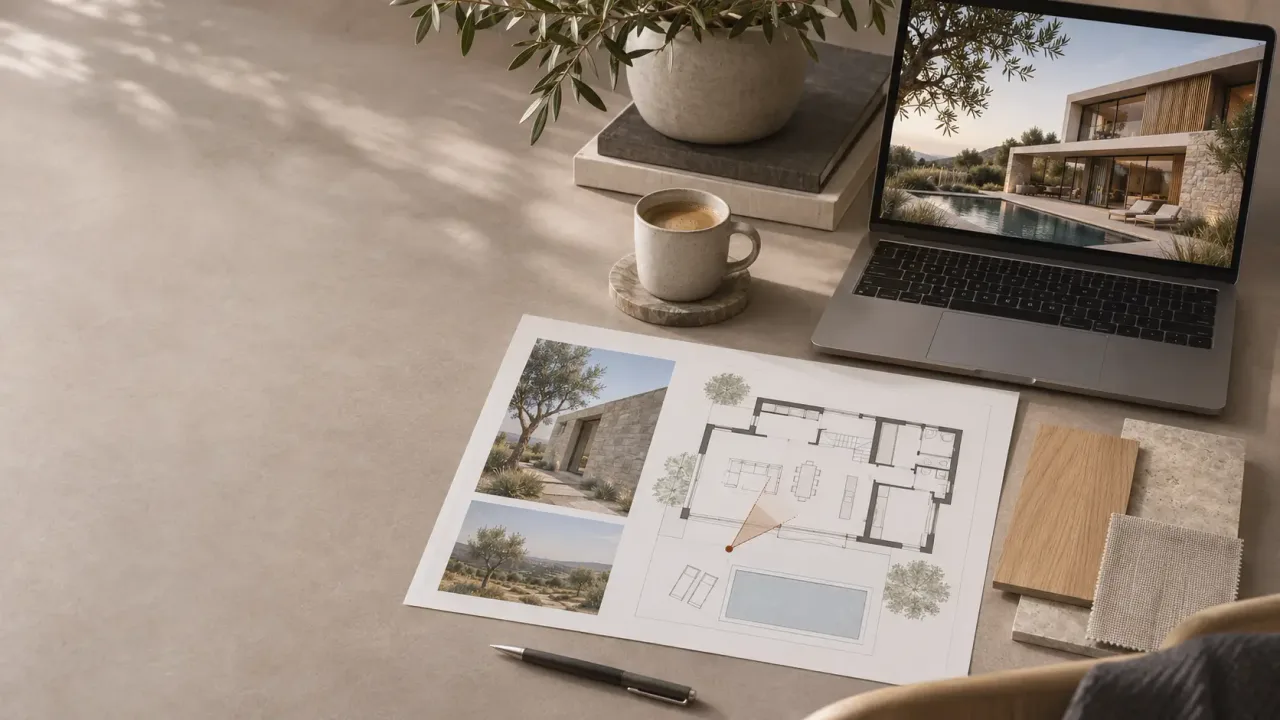
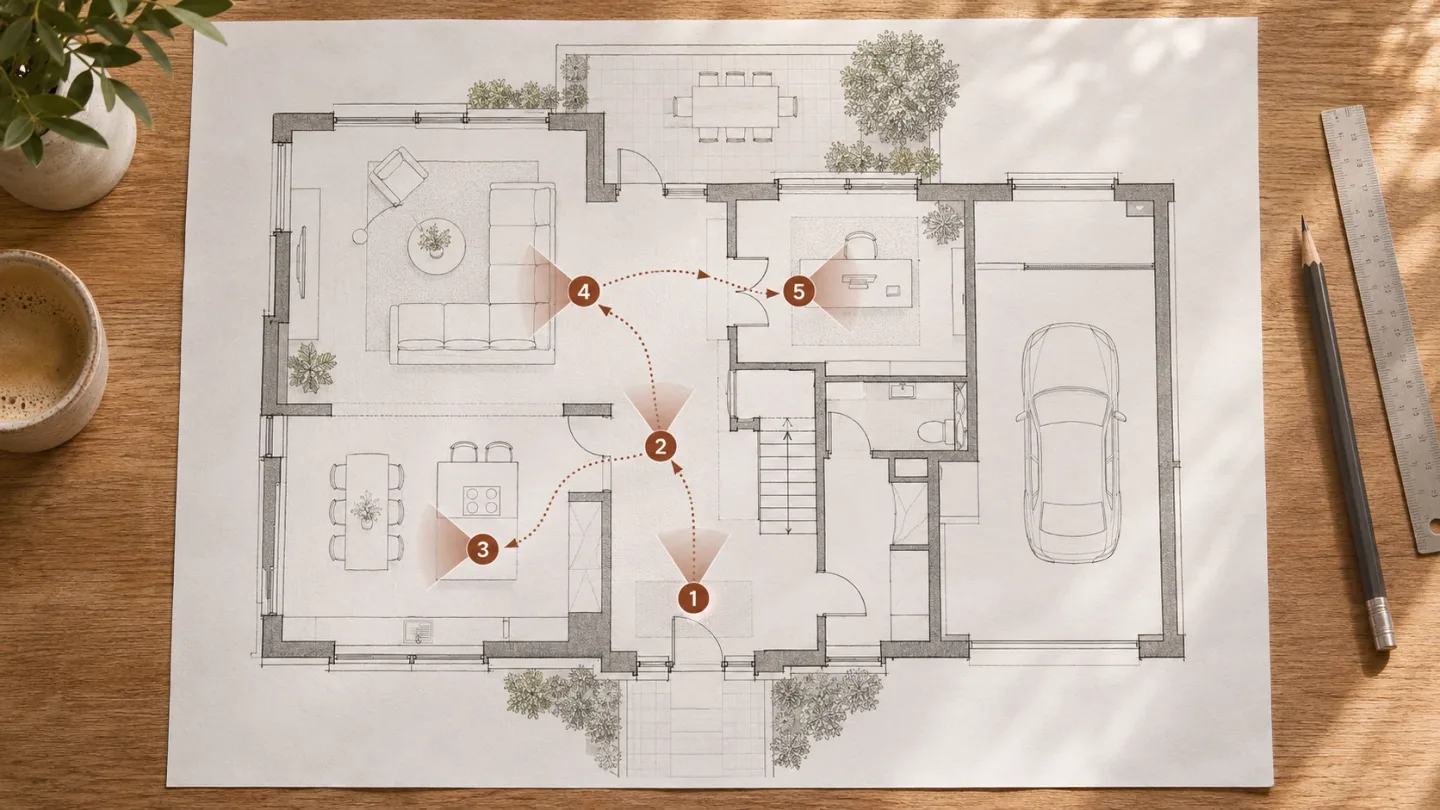
Choose the panorama positions. Mark each position on the floor plan. Aim for one in each important space, plus positions at doorways so moving between rooms feels natural.
Prepare the model and materials. The model must be current, and every surface in view needs a decided finish. A 360° view shows everything, so there's nowhere to hide unresolved corners. Our guide on how to brief a visualization partner covers what to send.
Render and review the panoramas. Review each one in a 360° viewer, not as a flat image, because distortion makes flat previews misleading.
Build the tour. Link the panoramas and add the floor-plan map, hotspots, option switching and your branding.
Host and share it. Embed it on your website and share the link in presentations, emails and sales material.
Should you host the tour on your own website or on a platform?
Where possible, host the tour on your own website. You keep control of the content, branding and data, and the visits build your own site's traffic. Third-party platforms are quicker to set up, but they can change their terms, add fees or stop supporting a format.
That risk is real. In October 2025, Zillow removed all Matterport tours from its listings after a dispute between the companies. Agents who had paid for scans lost them from the largest US property portal overnight.
We compare the options in detail in paid vs. custom virtual tour software.
How do you know if a virtual tour is working?
Track how people use the tour, not only how many open it. Useful measures are time spent in the tour, rooms visited, hotspots clicked and enquiries that follow a visit. A tour built into your own website can report these through the same analytics as the rest of the site.
For developers, compare enquiry and conversion rates on listings with and without tours. For studios, ask clients at sign-off meetings whether the tour helped them decide. That feedback is often the clearest measure.
Frequently asked questions
Can you make a virtual tour of a building that hasn't been built? Yes. A model-based virtual tour is rendered from the 3D design model, so it can be made at any stage once the design and materials are developed enough to show. It doesn't need a site visit or a finished space.
What's the difference between a 360° render and a virtual tour? A 360° render is a single panoramic image from one position. A virtual tour links several 360° renders together and adds navigation, a floor-plan map and information hotspots, so viewers can move through the whole project.
How many panoramas does a virtual tour need? It depends on the size of the project and the purpose of the tour. A compact home might need a handful of positions, while a larger house or apartment scheme needs more. Plan one for each important space, plus positions at the transitions between them.
Can virtual tours be viewed in VR? Yes. Most tour platforms support VR headsets as well as desktop and mobile browsers. VR works best in meetings and sales suites, where someone can guide the viewer.
Do virtual tours help with SEO? Indirectly. A tour embedded on your own website keeps visitors on your project pages longer and gives them a reason to return and share the link. Pair it with written project descriptions, because search engines can't read the panoramas themselves.
Thinking about a tour for your next project?
LivinTech works as the technical team behind architecture and design studios. We produce the 360° panoramas and build them into virtual tours on your own website, with floor-plan navigation, hotspots and VR support, while you keep the creative lead. Let's talk about whether a tour suits your next project.