Paid virtual tour software provides a shorter path to publication and a lower initial commitment. A custom platform requires more investment at the beginning, but gives the studio ownership and direct control over branding, website integration, functionality, hosting, data, and future development.
The practical difference is:
For a studio testing virtual tours or publishing only a few projects, paid software may be the more practical option. For a studio with the budget and a long-term plan to make virtual tours part of its portfolio, owning the platform is the stronger choice.
What Is Paid Virtual Tour Software?
Paid virtual tour software is a hosted platform that allows users to upload panoramic images, connect scenes, add hotspots, and publish an interactive tour.
Most platforms use a subscription model. The provider manages the software, hosting infrastructure, editor, updates, and standard viewer experience. The studio creates and manages its tours within the available tools.
This model reduces the amount of technical setup required. A studio can often begin with a template, upload its panoramic images, configure the tour, and publish it without developing its own software.
The trade-off is that the platform provider controls the product. The studio works within the available features, design options, pricing structure, storage limits, and publishing rules.
What Is a Custom Virtual Tour Platform?
A custom virtual tour platform is developed around the studio’s own website, projects, brand, and presentation requirements.
Instead of placing the tour inside a third-party system, the viewer can become part of the studio’s project pages and wider digital experience. Its layout, controls, navigation, content structure, and interactive features can be designed around the way the studio presents its work.
A custom platform can include standard virtual tour features such as connected panoramic scenes and navigation hotspots. It can also support project-specific functions, including floor plans, material information, alternative design states, custom menus, image galleries, project descriptions, and calls to action.
The studio is not limited to one fixed product structure, although custom development requires a clear scope, technical planning, hosting, maintenance, and an appropriate budget.
The Main Differences at a Glance
The right option depends on whether the studio values immediate convenience or long-term control.
Paid virtual tour software | Custom virtual tour platform |
|---|
Ready-made and faster to set up | Requires design and development |
Commonly uses recurring subscriptions | Requires a larger initial investment |
Features are defined by the provider | Features can be shaped around studio requirements |
Uses a standard interface | Can follow the studio’s visual identity |
Often hosted by the provider | Can be integrated into the studio’s own website |
May depend on embeds or external pages | Can become a native part of project pages |
Updates follow the provider’s roadmap | Development can follow the studio’s priorities |
Migration may be limited | Greater control over data and future changes |
Neither model is automatically suitable for every studio. The decision becomes clearer once the expected use, budget, number of projects, and required level of control are understood.
Which Option Takes Less Time to Launch?
Paid virtual tour software takes less time to launch when the platform already includes the features the studio needs. The viewer, editor, hosting system, and publishing workflow are already available, so the studio can focus on uploading panoramic images, connecting scenes, adding hotspots, and adjusting the available settings.
This makes paid software practical for studios that need to publish a tour without commissioning a separate design and development process. It can also be useful for testing whether clients or website visitors respond well to interactive project presentations.
A custom platform requires more preparation before publication. The studio needs to define the interface, project structure, viewer behavior, content-management workflow, responsive behavior, hosting setup, and any custom features.
That additional work becomes more worthwhile when the platform is expected to support multiple projects, follow the studio’s visual identity closely, or become a long-term part of the website.
Which Option Is More Affordable?
Paid software has a lower starting cost when the studio can use an existing subscription plan without custom development.
A subscription can give the studio access to a working platform without funding a full development process. This makes it easier to begin with a limited budget.
The long-term cost is less straightforward. Subscription fees continue for as long as the studio needs the service. Higher tiers may also be required for additional projects, storage, branding options, team access, analytics, or advanced features.
A custom platform has a higher initial cost because the software must be designed and built. There may also be ongoing expenses for hosting, technical maintenance, updates, and future improvements.
That does not mean a custom platform is always cheaper over time. The comparison depends on the development scope, expected lifespan, number of tours, recurring fees for paid software, and the hosting and maintenance costs of a custom platform.
The better question is not simply which option costs less. It is whether the studio wants to keep paying for access to a standard product or invest in a platform it can continue using and developing.
Which Option Integrates Better With a Studio Website?
A custom platform offers stronger website integration because it can be developed as part of the studio’s own website rather than added through a separate hosted system.
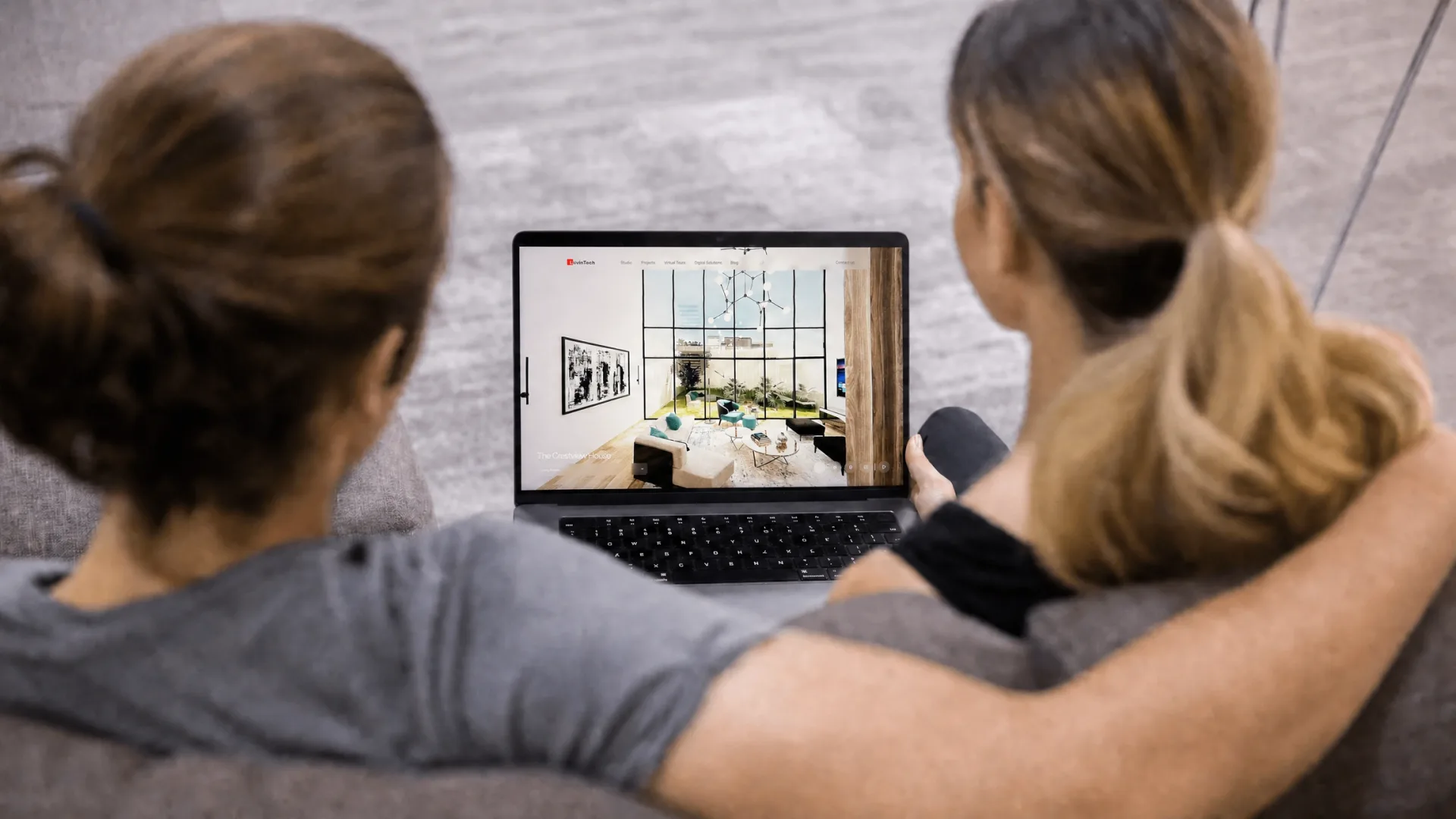
Paid virtual tour software is often displayed through an embedded viewer, an iframe, or a page hosted on the provider’s domain. The tour may function well, but it can still feel separate from the studio’s project page.
The interface, loading behavior, typography, navigation controls, and visual style may not fully match the main website. Visitors may also move between the project content and the tour as though they are using two different systems.
A custom viewer can be developed as part of the website itself. The tour can share the same project data, interface patterns, navigation, performance strategy, and responsive behavior as the rest of the site.
This makes it easier to combine panoramic scenes with project descriptions, still images, drawings, floor plans, material notes, and related content without forcing the visitor into a separate experience.
Which Option Gives the Studio More Brand Control?
Paid platforms typically offer some customization, but the level of control varies.
A studio may be able to upload its logo, choose interface colors, hide certain controls, or use a white-label plan. Even then, the viewer is still based on the provider’s product design and interaction model.
A custom platform can follow the studio’s visual identity more closely. The controls, typography, transitions, icons, loading screen, navigation system, and project layout can be developed around the website rather than added as a separate branded layer.
This matters when virtual tours are used as part of a studio’s portfolio. The viewer is not only a technical tool. It becomes part of how the studio presents its design work and communicates its standards.
Which Option Offers More Feature Control?
Paid software provides the features chosen by the platform provider.
This is convenient when those features match the studio’s needs. Standard scene links, hotspots, information panels, floor plans, and image galleries may be enough for many projects.
The limitation appears when the studio needs something outside the platform’s normal structure. It may want to present multiple design options, connect project data from its content-management system, create custom hotspot behavior, include multilingual content, or integrate the tour with a specific enquiry workflow.
Some platforms may support these functions through higher subscription tiers or limited extensions. Others may not support them at all.
A custom platform allows features to be planned around actual project and website requirements. The trade-off is that every custom feature increases development and maintenance work, so the scope still needs to be controlled carefully.
Which Option Offers Better Performance?
Neither option guarantees faster page loading or smoother interaction. Performance depends on the viewer code, panoramic image sizes, asset-delivery method, hosting infrastructure, caching, and how the tour is integrated into the website.
Paid platforms can perform well because they are built specifically for virtual tours. However, the studio has limited control over the viewer code, image-delivery strategy, hosting location, loading sequence, and future technical changes made by the provider.
A custom platform gives the development team direct control over those decisions. The viewer can be optimized around the studio’s website, target devices, project structure, and panoramic assets. Images can be compressed, loaded progressively, cached, and prioritized according to the needs of the project.
Custom software can still perform poorly if it is not developed carefully or if large assets are loaded without optimization. Ownership creates more control over performance, but it does not guarantee better results on its own.
Who Owns the Virtual Tour?
Ownership can refer to several different things.
A studio may own the original panoramic images while using paid software to display them. However, it may not own the viewer, hosting system, editor, interface, or interactive project data created inside the platform.
If the subscription ends, the published tour may stop working. Exporting the images may be possible, but transferring hotspots, scene connections, interface settings, and other tour data to another platform may be more difficult.
With a custom platform, ownership should be defined in the development agreement. This may include the source code, project data, website integration, deployment setup, and any licensed third-party components.
Owning the software does not mean the studio will never need technical support. It means the studio is not dependent on continued access to one provider’s product to keep the experience available.
The Best Virtual Tour Software Is the One You Own and Control
Paid virtual tour software may be convenient, but convenience alone does not make it the best long-term choice.
For a design studio with the budget to invest in its own platform, the best virtual tour software is the one it owns and controls. Ownership gives the studio authority over how the experience looks, performs, integrates with its website, stores project information, and develops over time.
The studio is no longer limited by a provider’s standard interface, subscription tiers, storage policies, feature roadmap, or branding restrictions. It can improve the platform according to its own priorities rather than waiting for a third party to introduce the required feature.
This is particularly valuable when virtual tours become part of the studio’s long-term portfolio strategy. A permanent presentation tool should support the studio’s brand and project structure rather than force every project into the same generic template.
Ownership also reduces the risk of building an important part of the studio’s digital presence on a service that may later change its pricing, remove a feature, alter its terms, or discontinue the product.
A custom platform is not the best choice simply because it is custom. It becomes the stronger choice when the studio has a clear use for it, an appropriate budget, and a long-term reason to maintain control.
When Paid Virtual Tour Software Is the Better Choice
Paid software remains a sensible option in several situations.
A studio may be experimenting with virtual tours for the first time and want to understand whether clients or website visitors find them useful. It may need to publish quickly, have only one or two projects, or require only standard navigation and hotspot features.
The subscription model can also be practical when the studio does not want responsibility for technical maintenance, software updates, hosting, or browser compatibility.
In these cases, paying for a ready-made platform can reduce risk and avoid building more software than the studio currently needs.
The key is to recognize that the platform is being chosen for short-term convenience or limited use. That is different from selecting the best foundation for a long-term, studio-owned portfolio experience.
When a Custom Platform Is the Better Choice
A custom platform makes more sense when virtual tours are expected to become an ongoing part of the studio’s website and project presentation.
It is especially relevant when the studio needs strong brand consistency, native project-page integration, custom interactions, control over hosting and analytics, or the ability to extend the viewer later.
The case becomes stronger when the studio plans to publish many projects. At that point, the virtual tour is no longer an isolated feature. It becomes part of a wider system for managing and presenting visual work.
A custom platform can also be useful when the studio creates its own 360-degree architectural renderings or works with a production partner that can prepare both the panoramic assets and the viewer experience. The visual production and software can then be planned together rather than treated as separate services.
What About Analytics and Visitor Data?
Paid platforms may provide built-in analytics, but the available data depends on the provider and subscription plan.
The studio may be able to see total views, visit duration, or basic interaction counts. More detailed tracking may be limited, unavailable, or stored separately from the website’s main analytics.
A custom platform can connect virtual tour interactions with the studio’s wider measurement system. This can include scene changes, hotspot clicks, floor-plan use, engagement with specific project areas, and movement from the tour to an enquiry or contact page.
The value is not simply having more data. The studio can define which interactions matter and interpret them alongside activity across the rest of the website.
Analytics still need to be implemented responsibly and in accordance with applicable privacy requirements. Customization provides flexibility, but it also places more responsibility on the platform owner.
What Happens If the Studio Wants to Move Platforms?
Migration is one of the most important questions to ask before choosing paid software.
Panoramic image files can often be downloaded and used elsewhere. The interactive tour structure may be harder to transfer. Scene links, hotspot positions, descriptions, floor plans, interface settings, and project organization may be stored in a format designed only for the original platform.
Rebuilding those details on another service can require significant manual work.
A custom platform can also create migration challenges if the source code is poorly documented or the project uses highly specialized technology. Ownership should therefore be supported by clear documentation, maintainable development, and access to the required project files.
The difference is that the studio has the option to move, modify, or commission further development without waiting for permission from a subscription provider.
Questions Design Studios Should Ask Before Choosing
Before selecting either approach, the studio should define how the virtual tour will be used.
It should consider how many projects are likely to be published, whether the viewer must match the website closely, what custom features are required, and how important ownership is to the business.
The studio should also ask whether it can export its assets and project data, what happens when a subscription ends, how the viewer affects page performance, and whether the platform can support future changes.
Budget should be considered across the expected life of the platform rather than only at launch. Paid software may have a lower initial cost, while custom development may provide more value when the system is used across many projects for several years.
A Practical Way to Choose
Choose paid virtual tour software when the main priorities are launching quickly, limiting initial cost, and using standard features without taking responsibility for the underlying software.
Choose a custom platform when virtual tours are expected to become a long-term part of the studio’s website, brand, and portfolio system, and when the studio has the budget to invest in ownership and control.
The comparison is not simply subscription versus development. It is a decision between renting access to an established product and building a digital asset around the studio’s own requirements.
For short-term use, renting may be more efficient. For long-term use, ownership offers a stronger foundation.
How LivinTech Approaches Virtual Tour Website Development
LivinTech develops custom virtual tour websites for architecture and design studios that want their panoramic scenes to become a native part of their project and portfolio experience.
The platform can be developed around the studio’s visual identity, content structure, project requirements, and approved presentation direction. For studios that also need panoramic assets, our architectural production support can include 360-degree renderings created from developed 3D scenes.
The goal is not to replace a studio’s creative ownership or force every project into one standard format. It is to provide the technical production and software required to present the studio’s work through a cohesive, studio-controlled experience.
Learn more about virtual tour website development or contact LivinTech to discuss whether a custom platform is appropriate for your studio.