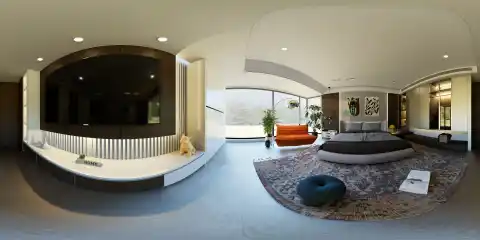
A 360-degree architectural rendering is a panoramic image generated from a three-dimensional architectural scene. Unlike a conventional rendering that shows one selected camera frame, it allows viewers to look around the environment in every direction from a fixed position.
The image is commonly produced in an equirectangular format and displayed through a compatible panoramic or virtual tour viewer. Viewers can rotate the scene horizontally and vertically using a mouse, touchscreen, or other supported controls.
The simplest distinction is:
Both may be produced from the same underlying 3D scene, but panoramic output usually requires more complete modeling because the entire surrounding environment can become visible.
How Does a 360-Degree Architectural Rendering Work?
A 360-degree rendering begins with a developed 3D scene containing the architectural model, materials, lighting, furniture, landscaping, and environmental context.
Instead of using a conventional perspective camera that captures only one framed view, the rendering software records the environment around a fixed camera position. The resulting image contains the full horizontal view and usually the complete vertical view as well.
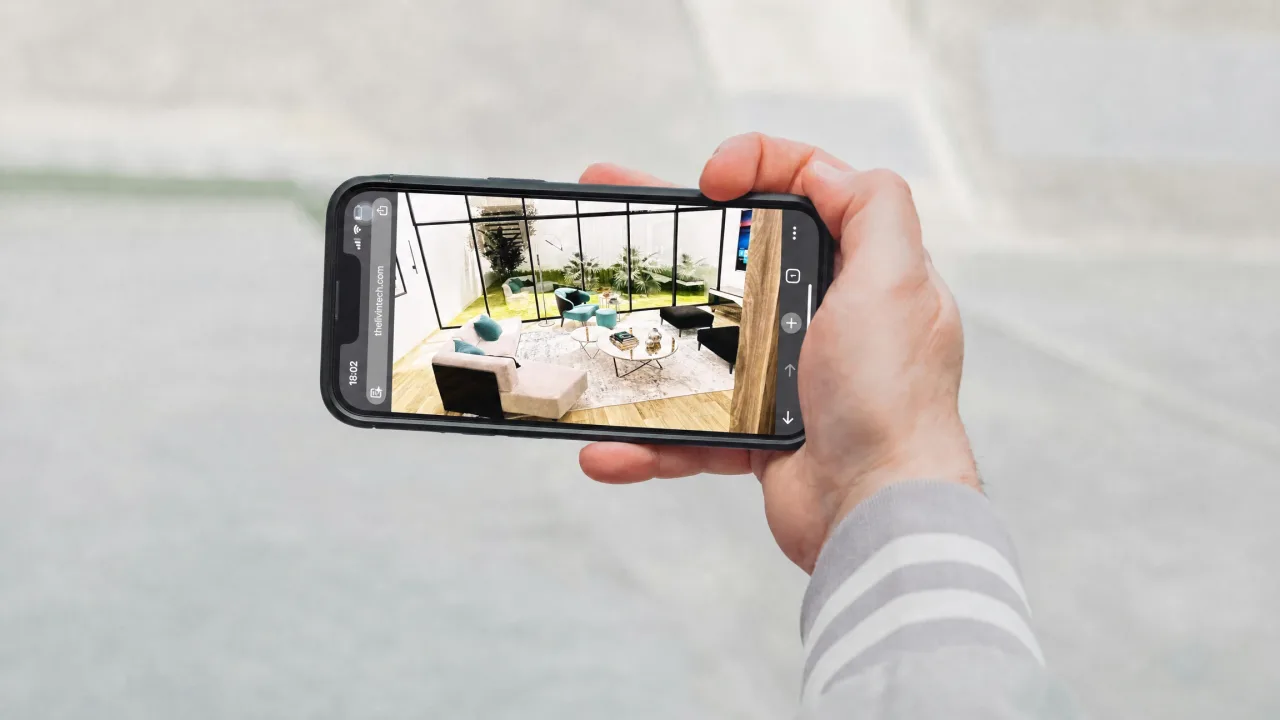
The rendered panorama is then loaded into a compatible viewer. The viewer maps the flat image around the viewing position, making it feel as though the user is standing inside the scene.
You can explore an example 360-degree architectural scene to see how a panoramic rendering behaves inside an interactive viewer.
The user does not move freely through the three-dimensional model itself. They look around from the position where the panorama was rendered. To create movement between rooms or viewpoints, several panoramic images can be connected through interactive navigation points.
What Is an Equirectangular Image?
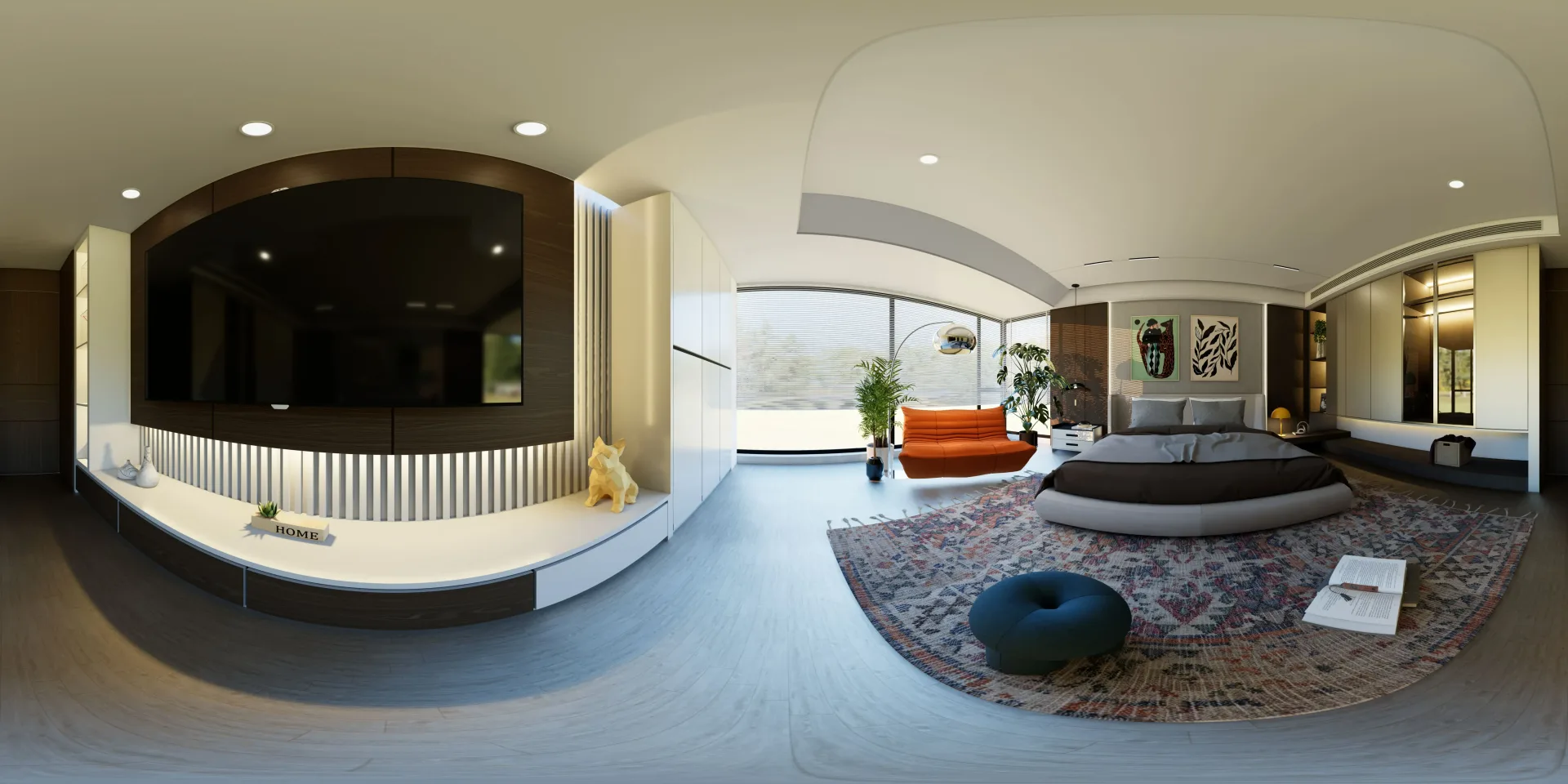
An equirectangular image is a flat rectangular projection used to store a complete panoramic view.
It normally has a 2:1 aspect ratio. For example, an image may measure 8,000 pixels wide by 4,000 pixels high.
The horizontal axis represents the full 360-degree view around the camera. The vertical axis represents the view from the top of the scene to the bottom.
When viewed as an ordinary flat image, an equirectangular panorama appears distorted, particularly near the top and bottom. This is expected. A panoramic viewer corrects the projection by wrapping the image around the user’s viewing position.
The left and right edges must also connect seamlessly. Any mismatch between them can create a visible seam once the image is displayed interactively.
Is a 360-Degree Rendering the Same as a 3D Model?
No. A 360-degree rendering is generated from a 3D model or scene, but the final output is usually a two-dimensional image.
The 3D model contains the geometry of the space. The complete 3D scene may also include cameras, lights, materials, textures, furniture, landscape elements, and environmental settings.
The panoramic rendering captures that scene from one fixed point. Once rendered, the viewer can look around the image, but they cannot inspect the underlying geometry or move anywhere without additional panoramic viewpoints.
For a broader explanation of the distinction, learn how 3D modeling and 3D rendering differ and fit into architectural production.
How Is It Different From a Conventional Still Rendering?
A conventional still rendering presents one controlled composition. The studio chooses the camera position, viewing direction, focal length, and framing. The viewer sees only the part of the project included in that image.
A 360-degree rendering captures the environment in every direction around the camera. The viewer can turn toward the sides, behind the initial view, above the camera, and below it.
This changes how the scene must be prepared.
With a still image, objects outside the camera frame may not need to be fully developed. A panoramic rendering provides fewer places to hide incomplete geometry, temporary objects, missing materials, or unfinished environmental context.
The comparison can be summarized as follows:
Conventional still rendering | 360-degree rendering |
|---|
Shows one selected view | Shows the environment in every direction |
Uses a controlled composition | Allows the viewer to control the viewing direction |
Can hide areas outside the frame | Requires a more complete surrounding scene |
Works as a standard image | Requires a compatible panoramic viewer |
Commonly used in presentations and portfolios | Commonly used in virtual tours and interactive project pages |
Neither format is automatically better. They serve different communication goals.
Why Does a 360-Degree Scene Require More Complete Modeling?
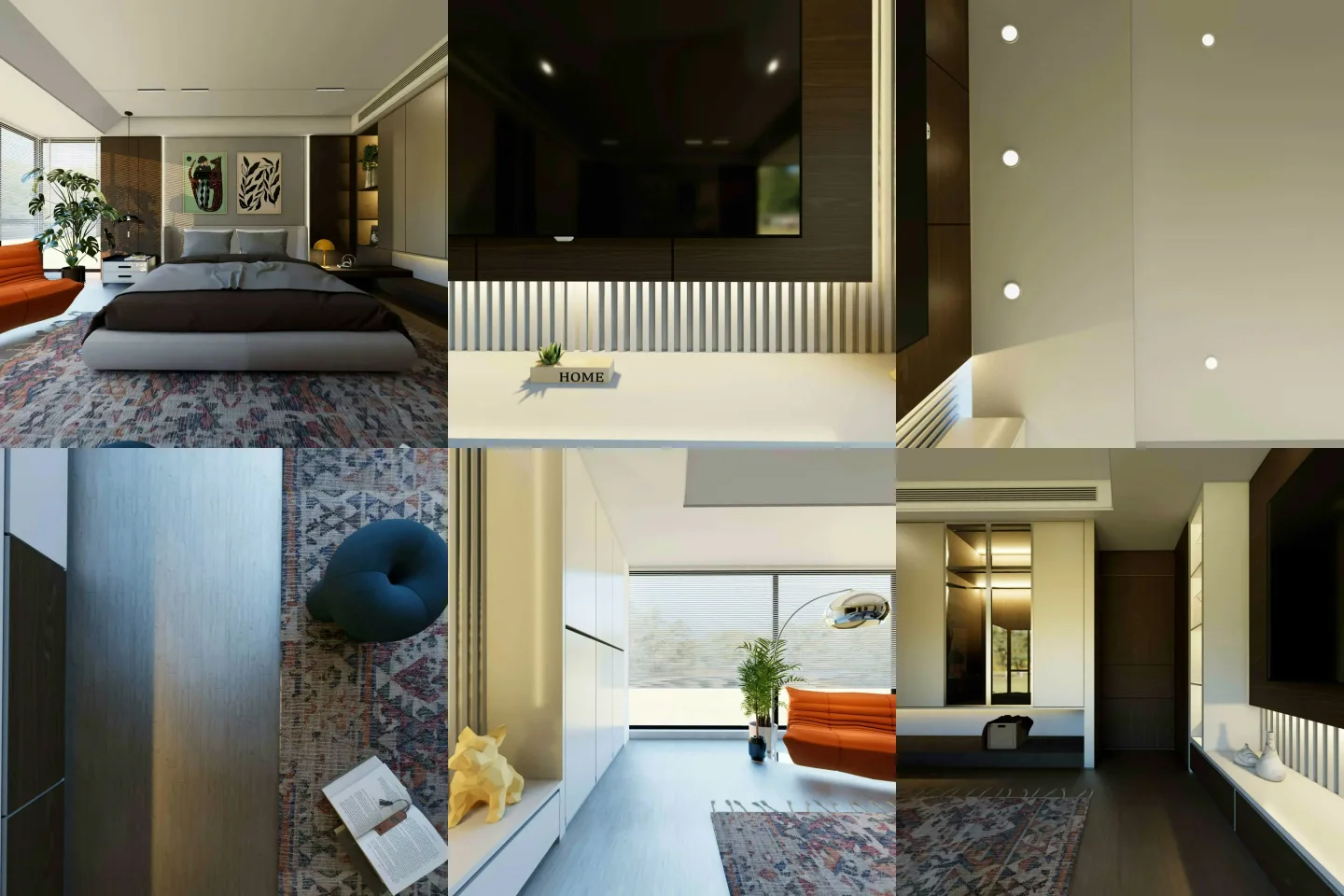
A still rendering only needs the scene to appear complete within one camera frame. The production team can focus detail where it will be visible and simplify areas outside the composition.
A 360-degree image exposes far more of the environment. Missing ceilings, unfinished walls, temporary objects, gaps behind furniture, or incomplete landscaping may become visible when the viewer turns around.
The area directly below the camera also requires attention. Depending on the project and presentation method, the floor or camera position may need careful treatment so the bottom of the panorama does not appear distracting or incorrect.
Reflections create another challenge. Glass, polished stone, metal, mirrors, and other reflective surfaces may reveal parts of the scene that are not directly visible from the initial viewing direction.
For these reasons, panoramic output should be considered during scene preparation rather than treated as a simple alternative export at the end.
Can the Same 3D Scene Produce Still and 360-Degree Renderings?
Yes, in many projects the same underlying 3D scene can support both formats.
The architectural geometry, materials, furniture, lighting, and environmental context can be developed once and then used to produce different camera outputs. A studio might create conventional exterior and interior images for a presentation while also generating panoramic views for an interactive portfolio experience.
Some additional work is usually required. The scene may need to be completed in areas that were not visible in the still images, and lighting may need adjustment so it remains believable in every direction.
Camera placement also becomes more important. A strong still image can use a carefully framed viewpoint, while a panoramic camera must work as a central viewing position from which the surrounding space remains understandable.
Even with these adjustments, developing several outputs from one coordinated scene can help maintain consistency across the project.
Is a 360-Degree Rendering the Same as a Virtual Tour?
Not exactly.
A 360-degree rendering is the panoramic visual asset. A virtual tour is the interactive experience used to present one or more panoramic scenes.
A simple viewer may display one panorama and allow the user to look around. A more developed virtual tour may connect several viewpoints and include navigation hotspots, floor plans, project information, images, links, interface controls, or other interactive features.
The relationship is similar to the difference between an image and the website that displays it. The panoramic rendering provides the visual content, while the virtual tour software determines how users navigate and interact with that content.
How Are Multiple Panoramas Connected?
A single panorama allows the viewer to explore one fixed position. To move between areas, the virtual tour connects several panoramic images.
For example, an interior project may have separate viewpoints in the entrance, living area, kitchen, bedroom, and outdoor space. Each panorama represents one viewing position.
Interactive hotspots can then move the viewer from one scene to another. These transitions create the impression of moving through the project, even though each viewpoint is still based on a separate panoramic image.
The quality of the experience depends partly on how the camera positions are planned. Viewpoints should be placed where they communicate the space clearly and create logical movement between connected areas.
Too many closely spaced viewpoints may make navigation feel repetitive. Too few may leave important parts of the project difficult to understand.
Is a VR Headset Required?
No. A VR headset is not required to view a 360-degree architectural rendering or virtual tour.
Most panoramic viewers work on desktop computers, tablets, and mobile devices. Users can drag the scene with a mouse, swipe on a touchscreen, or use supported device-orientation controls.
A compatible headset may provide a more immersive viewing experience, but it should be treated as an optional presentation method rather than a requirement.
For most studio websites and portfolio pages, broad browser and mobile support is more important than headset compatibility alone.
What Is the Difference Between a 360-Degree Rendering and a Walkthrough?
A 360-degree rendering allows users to control where they look from a fixed position. A walkthrough controls the camera movement and viewing sequence for them.
An architectural walkthrough is usually delivered as a video or animation. The studio determines the route, pace, framing, and order in which the project is presented.
A virtual tour offers more control to the viewer. They can pause, look behind them, inspect different areas, and choose which connected scene to visit next.
Walkthroughs work well when the studio wants to present a carefully directed narrative. Panoramic tours are useful when the viewer should be able to explore the project at their own pace.
Both can begin with the same developed 3D environment, although each format requires different camera planning and production decisions.
What Types of Projects Benefit From 360-Degree Rendering?
360-degree rendering is most useful when understanding the surrounding space matters more than presenting one carefully framed image.
Interior projects are a natural fit because viewers can examine relationships between furniture, openings, materials, lighting, and connected areas. Panoramas can also help explain compact spaces where one conventional camera angle cannot show the full layout clearly.
They may also be useful for:
Hospitality and commercial interiors
Residential concepts presented by design studios
Exhibition and retail environments
Showrooms and workplace designs
Unbuilt projects intended for interactive portfolio presentation
Exterior panoramas can also be created, particularly when the surrounding site, landscape, or relationship between several buildings is important.
The format should still serve a clear purpose. Not every project needs a virtual tour, and a strong set of still images may be more effective when controlled composition is the main priority.
What Information Is Needed to Create One?
The production team generally needs the same core information required for architectural visualization, including current drawings, an existing model when available, material references, furniture direction, lighting information, and confirmation of the intended design.
Panoramic rendering also benefits from early decisions about viewpoint locations, navigation between scenes, and the final presentation platform.
It is useful to clarify:
Which spaces require panoramic views
Whether the scenes will be connected
Where the virtual tour will be displayed
Whether conventional still renderings are also required
Which parts of the design remain unresolved
What level of environmental context is expected
These decisions influence how much of the scene must be developed and where the cameras should be placed.
How Should Panoramic Camera Positions Be Chosen?
A panoramic camera should be placed where the viewer can understand the space naturally.
For interiors, this usually means avoiding positions too close to walls, large furniture, or narrow corners. A central position can provide broader visibility, but it should not make the room feel unnaturally symmetrical or detached from the intended circulation path.
Camera height should also feel believable. A viewpoint that is too high can make the viewer feel as though they are floating, while one that is too low may distort furniture and reduce visibility.
The camera should help explain the layout rather than merely capture the largest possible area. In some rooms, two well-planned viewpoints may communicate the project better than one panorama placed in the centre.
When several scenes are connected, the camera positions should also create a logical route through the project.
What Makes a 360-Degree Rendering Effective?
An effective panoramic rendering should remain believable and visually consistent in every direction.
The geometry must be complete enough for the selected viewpoint. Materials should maintain the correct scale and finish across the full scene. Lighting should provide a clear and balanced environment rather than working only toward one preferred angle.
Furniture, decorative elements, landscape features, and surrounding context should also feel coherent when viewed from different directions.
Technical quality matters as well. The image should have enough resolution for the intended viewer, the projection should remain correct, and the left and right edges must connect without a visible seam.
The result should help the viewer understand the space. Realism is valuable, but it should support the studio’s approved design rather than distract from it.
How Studios Can Use 360-Degree Renderings
Studios can use panoramic renderings during design communication, client presentations, competitions, project approvals, and portfolio development.
For internal or client review, a panorama allows people to inspect parts of the scene that may not appear in the selected still images. This can reveal spatial relationships and material transitions more clearly.
For portfolio use, a virtual tour can give visitors a more interactive way to explore an unbuilt project. It can also complement conventional images by allowing the studio to present both controlled compositions and a wider spatial experience.
Panoramas can be particularly valuable when the underlying 3D scene has already been developed for still rendering or animation. Additional outputs can extend how the same project environment is presented across different channels.
From 360-Degree Rendering to a Virtual Tour Website
LivinTech can create 360-degree panoramic renderings based on a studio’s approved design, references, and creative direction. For selected software development engagements, we can also build custom virtual tour websites that present those scenes through interactive project and portfolio pages.
This allows the underlying 3D scene to support both conventional visual outputs and a more immersive way to showcase the design.
Need support creating panoramic scenes for presentations or interactive project pages? Learn more about our 360-degree panoramic rendering services, explore our virtual tour website development service, or contact LivinTech to discuss your studio’s requirements.