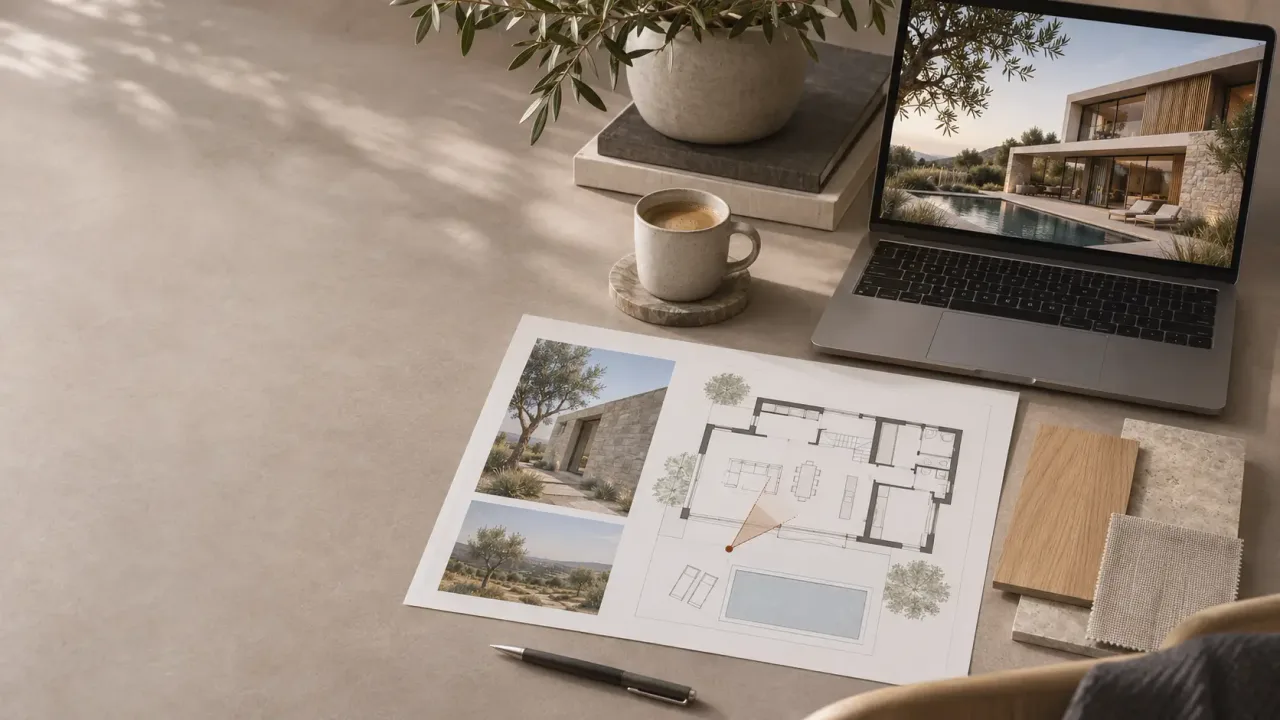
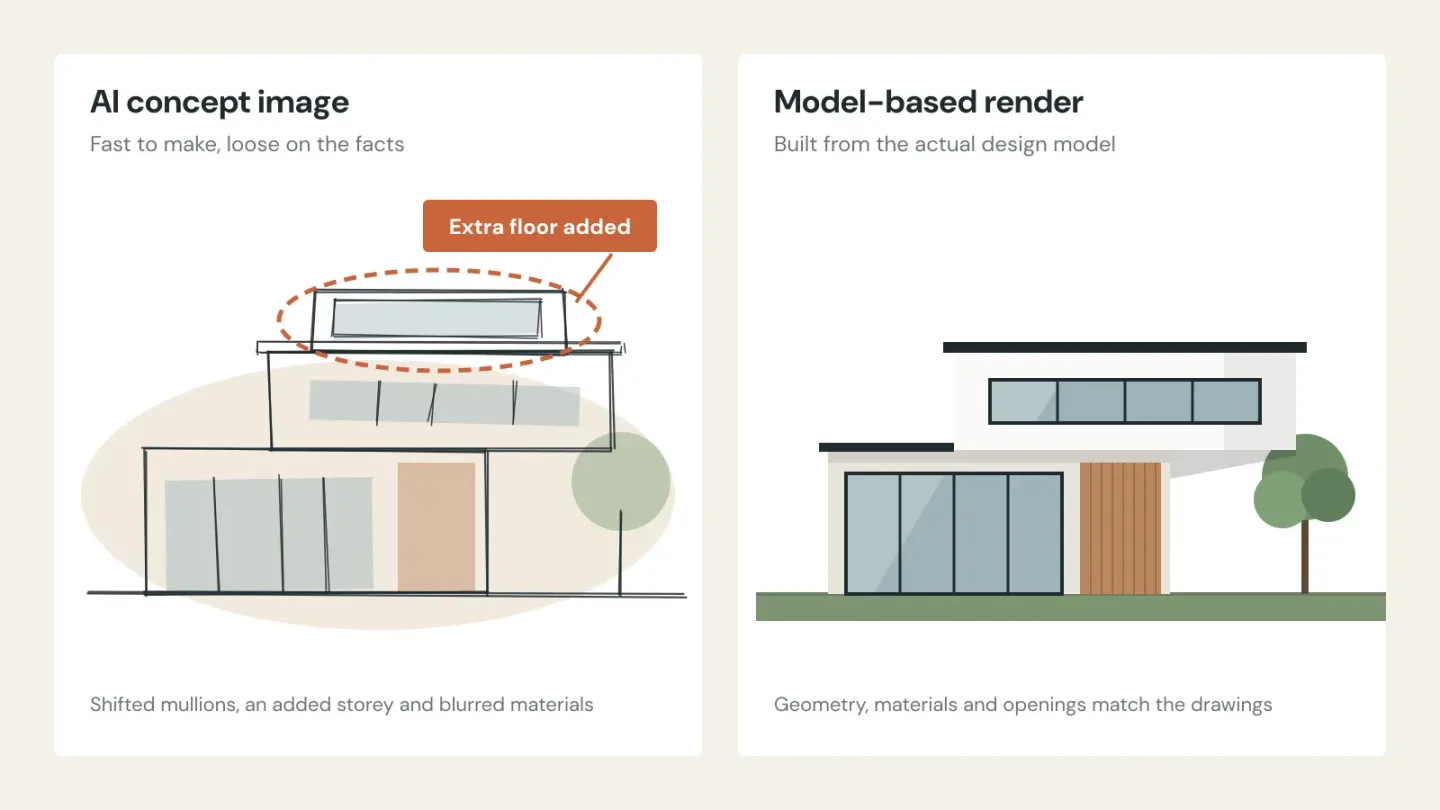
It's Monday morning. You have a client presentation on Thursday and a competition deadline in three weeks. Over the weekend, a junior designer produced twelve concept images with an AI tool. Some are stunning. One quietly adds a floor to the building.
That image sums up where architectural visualization stands right now. AI tools are now fast enough to be useful and not yet reliable enough to trust. So the old question of building a team or hiring a studio has picked up a third answer, and most studios haven't decided where it fits.
This guide is meant to help you decide. It covers what AI tools, in-house visualizers and outsourced partners each do well, how to divide the work between them, and how to check the costs honestly.
The question now has three answers
AI has moved quickly from novelty to everyday tool. In a survey by Chaos and Architizer, 60% of architecture firms said they actively use AI, and 86% of those users reported real time savings. For the first time, more firms named AI-generated renderings as their top visualization investment (36%) than traditional photorealistic visuals (33%).
The same research shows how far trust lags behind. Only 17% of respondents said AI output is controlled enough to use without significant oversight, and nearly half named poor or inconsistent quality as their biggest problem (Chaos). In AIA research, 94% of architects expressed concern about AI inaccuracy.
In short, architects are using AI heavily for early work and remain cautious about anything that leaves the studio.
What each option does well, and where it falls short
AI image tools
AI is excellent at the messy early phase. It can explore ten facade moods before lunch, test a material palette or give a client something to react to during a first meeting. The cost is low and the speed is remarkable.
The weakness is the gap between a convincing image and an accurate one. AI predicts what a building like yours might look like. It doesn't compute what your building will look like, so every image needs checking against the design.
An in-house visualizer
A visualizer who sits with your design team understands your intent without a brief. They can turn around a review image from a live model in an hour, and over time they absorb your studio's visual style.
The catch is that you pay for that person in quiet months as well as busy ones. One person also has a skill ceiling: a strong stills artist isn't necessarily the person to build an animation or an interactive tour.
An outsourced partner
A good partner gives you a whole team when you need it and none when you don't. Specialist formats such as animation, 360° panoramas and virtual tours are usually part of their everyday work. If the partner works in another time zone, the work can progress overnight.
The trade-off is briefing. A partner is only as good as the information you give them, and choosing the wrong one costs you time you don't have.
Why AI images still need a human in the loop
Three problems come up again and again when AI images go to clients.
Accuracy. Window rhythms shift, rooflines change and materials get swapped. A client who signs off on that image has approved something you didn't design.
Consistency. Generate the kitchen, the living room and the facade separately, and you often get three moods and three palettes. A presentation set has to read as one building.
Approvals. Planning bodies have started asking about AI use. The UK Planning Inspectorate's guidance asks applicants who use AI to create or alter images to declare it and take responsibility for accuracy (Local Government Lawyer). Councils such as Mid Devon have published similar notes.
None of this means you should avoid AI. It means someone accountable should check every AI image before it represents your design to anyone outside the studio.
A practical split: match the tool to the stakes
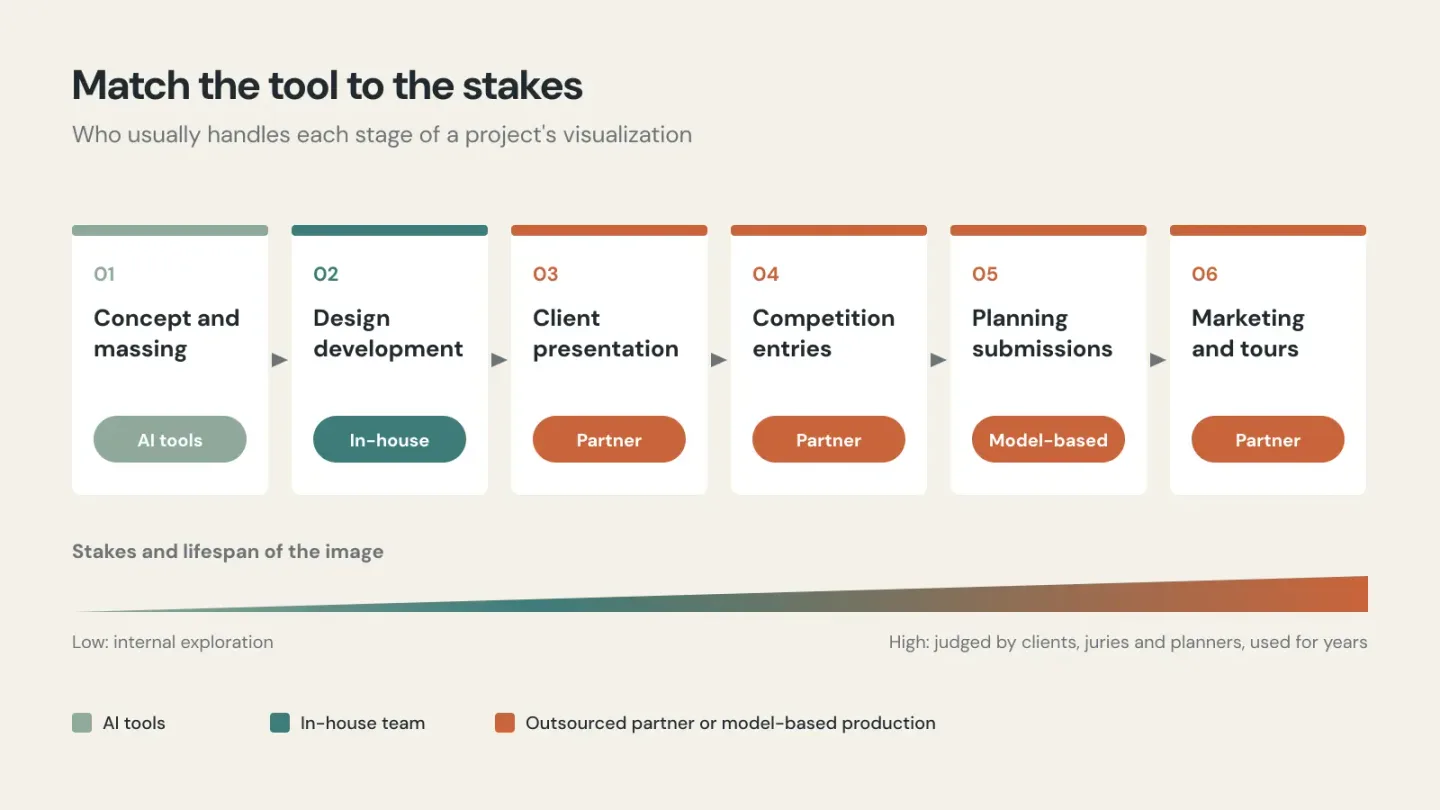
Most studios end up with a hybrid. The simplest way to organise it is by project stage: the more people who will judge your design by an image, and the longer the image will be used, the more control it needs.
Project stage | What's at stake | Usually best handled by |
|---|
Concept and massing options | Low: internal exploration | AI tools, guided by the design team |
Design development reviews | Medium: internal and client check-ins | In-house real-time views (Enscape, Twinmotion, D5) |
Client presentation set | High: wins or loses the client's confidence | Outsourced partner or senior in-house visualizer |
Competition entries | High: judged on clarity and image quality | Outsourced partner, presented under your studio's name |
Planning submissions | High: accuracy is scrutinised | Model-based renders with no generative alteration |
Marketing, animation, 360° tours, website | High and long-lived: used for years | Outsourced partner with web experience |
Five questions to find the right mix for your studio
How steady is your workload? A full, predictable pipeline can justify a salaried visualizer. Sharp peaks and quiet months favour a partner you call on when you need one.
Do you have a recognisable visual style? Keep it in-house, or write it down as a style guide a partner can follow: light direction, colour temperature, how much planting, whether people appear. AI tools tend to drift from it.
What happens if an image is wrong? If a wrong image could mislead a client, a jury or a planning officer, it needs a model-based workflow and a human review.
Which formats do you actually need? Stills are only the start. Animation, 360° panoramas and interactive tours need skills that one in-house generalist rarely covers.
When do you need the work back? A partner several time zones away can work while your studio sleeps. Teams in Southeast Asia, for example, often deliver overnight for studios in Europe, the UK and Australia.
Run the numbers honestly
The most common mistake is comparing a visualizer's salary with a partner's quote for a single image. A fair comparison looks at the full cost of an in-house image.
Add up everything your in-house visualization costs you in a year: salary, employment costs, software licences, workstation upgrades and the time senior staff spend managing the work. Then divide by the number of finished images actually delivered last year, not the number the person could theoretically produce. Holidays, design changes and waiting on information all reduce that number.
As a purely illustrative example, suppose your all-in cost is 90,000 a year in your currency and 120 finished images were delivered. Each image cost you 750 before counting the weeks the visualizer spent waiting on design decisions. Compare that figure with a partner's price for the same output, plus your own time spent briefing and reviewing.
If your in-house figure is higher, send the overflow to a partner. If it's lower and your pipeline stays full, keep the team and outsource only specialist formats.
Choosing a partner when AI is part of the mix
The usual checks still apply: review the portfolio, ask about process, commission a paid test image and speak to references. Now that AI is part of most workflows, a few extra questions are worth asking.
Do you use generative AI, and where? A good answer names specific stages, such as mood exploration or entourage clean-up, and confirms that final geometry and materials come from your model.
Will you work white-label? Get it in writing: no partner branding on the files, and no portfolio use without your permission.
How do you protect unbuilt designs? Ask about NDAs, file storage and access, and whether project files are ever uploaded to public AI services.
Who leads the creative decisions? You should. The right partner adapts to your references and standards instead of imposing its own style.
How do revisions and communication work? Agree the number of revision rounds, the feedback channel and response times across time zones before the first project starts.
Who owns the files? Confirm that you receive the final images and, where agreed, the scene files.
Don't leave good renders in a folder
Most studios commission renders for one presentation and then never use them again. Those same images can keep working for years on your website.
A 360° virtual tour lets a prospective client walk through an unbuilt project instead of scrolling past a still image. Well-structured project pages, with strong visuals, clear descriptions and floor-plan navigation, keep visitors on your site long enough to get in touch. Good SEO makes sure those pages appear when someone searches for an architect in your city or specialism.
This works best when visuals are produced with the website in mind from the start, with the right aspect ratios, panoramas and sequences for each page.
Frequently asked questions
Can AI replace an architectural visualizer? Not for client-facing or approval work, at least not yet. AI is genuinely useful for early concepts, but most architects find its output still needs significant oversight to match the actual design.
Is it cheaper to outsource architectural rendering than to hire? It depends on how steady your workload is. Divide your full in-house cost by the number of finished images delivered in a year, then compare that with a partner's price for the same output.
What is white-label architectural visualization? A partner produces the images, and your studio presents them as its own work. The partner's name stays off the files, and the partner can't show the work without your consent.
Should we tell clients when an image was made with AI? There's no universal rule yet, but some planning authorities already ask for disclosure. The safest approach is to say where AI shaped an image and to make sure it reflects the real design.
Decide the split before the deadline decides it
AI tools, in-house talent and outsourced partners each have a place in a modern studio. The studios that get the most from all three choose deliberately which work goes where. The alternative is letting each deadline decide.
At LivinTech, we work as the back-office technical team for architecture and design studios. We handle 3D production, 360° virtual tours, studio websites and SEO, and you stay in charge of the creative work. Let's discuss how we can support your next project.